
Araya Learning System
We see how every student is learning, and so do you
Araya built its own learning system. It finds where each student is up to, gives them lessons and homework made for their gaps, lets tutors watch homework as it happens, and sends parents a report every week.

How It Works
Four steps, every week
Each part feeds the next, so the work a student does matches what they actually need.
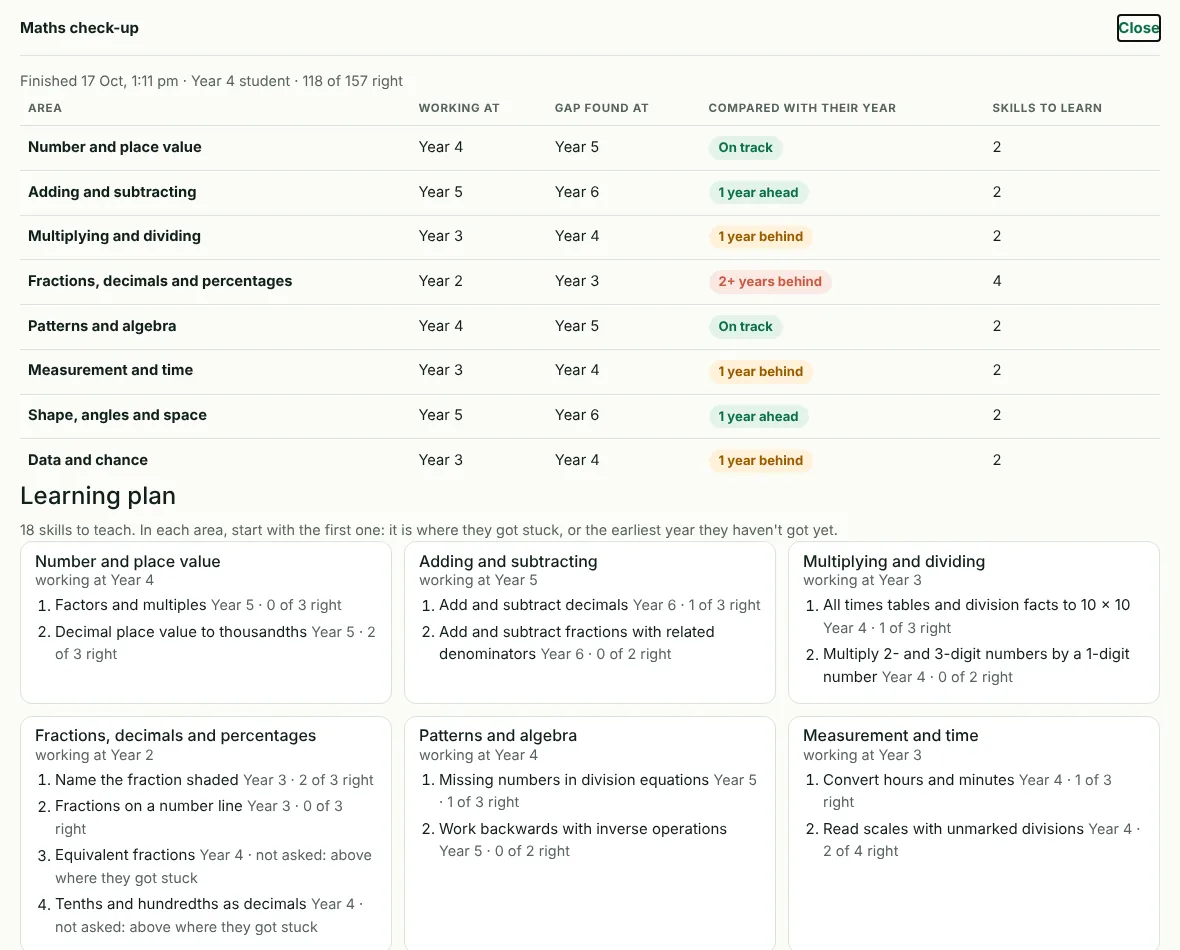
- Maths check-upOn enrolling, each student takes a check-up that finds their real level in every area of maths.
- Lessons and homeworkTutors build lessons and homework from the gaps the check-up found.
- Live homework monitorTutors see who is working, who is stuck and who has left the lesson, as it happens.
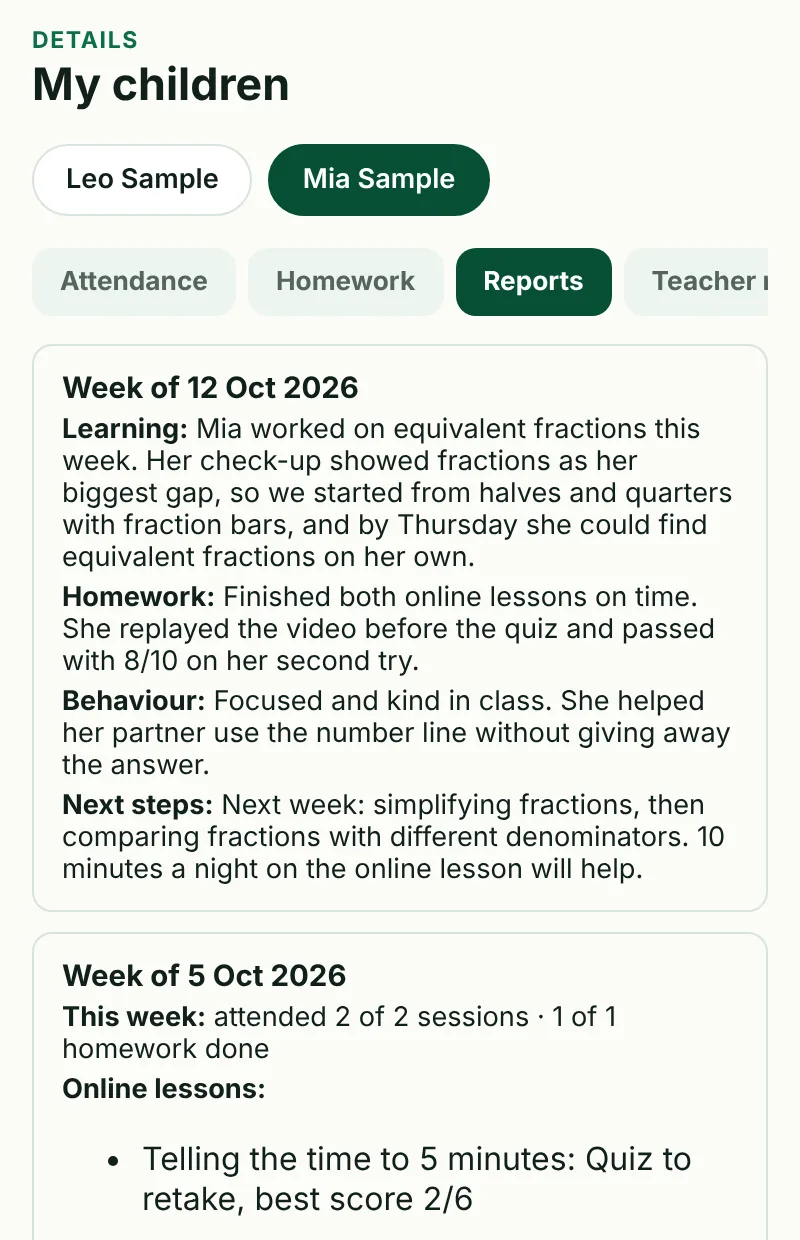
- Weekly reportParents see attendance, homework, lessons and their tutor's notes in the parent portal.
1 · Maths Check-up
Find the real starting point
Many students have gaps from earlier years. A school report can't show them, so every student does a maths check-up when they enrol.
- Covers 8 areas of maths, from number and fractions to measurement, shape and data.
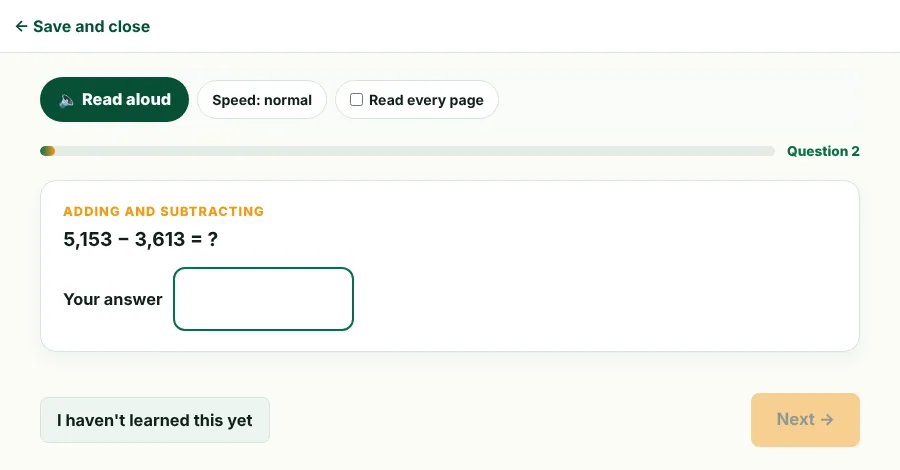
- Adapts as they go: it keeps asking harder questions until it finds where each area stops being easy.
- A student can be at Year 3 in fractions and Year 6 in shapes. The check-up shows both.
- The result is a learning plan: the exact skills to teach next, earliest gaps first.
2 · Lessons and Homework
Lessons made for each student
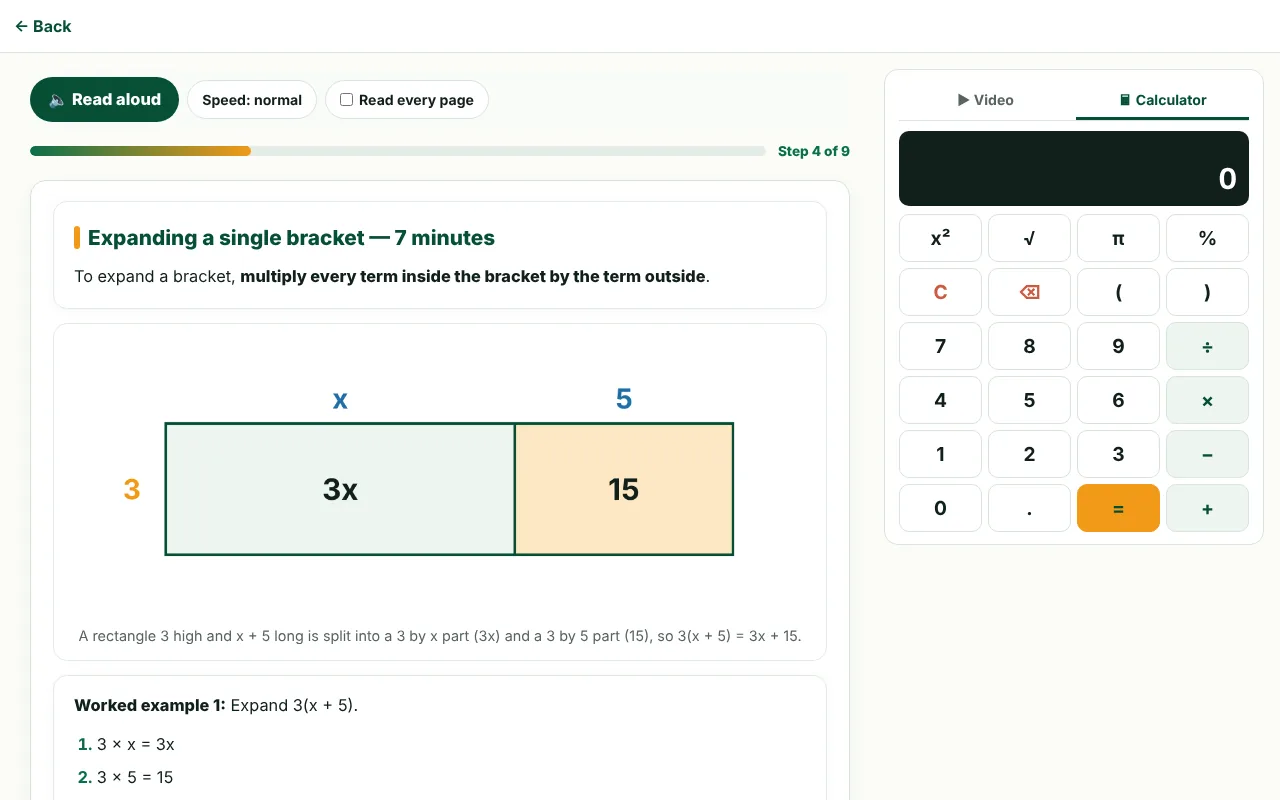
Students do lessons and homework in the student portal, on a laptop or tablet, one step at a time.
- Clear explanations with pictures, worked examples and a video beside every lesson.
- Quick checks on each step, so a student can't skip ahead without understanding.
- A quiz at the end that marks itself. Below 7 out of 10, the student reviews the topics they missed and tries again.
- Read aloud for younger students, and a built-in calculator when the lesson allows it.
3 · Live Homework Monitor
Help arrives while the student is still working
The live homework monitor, shown at the top of this page, gives tutors a card for every student doing homework.
- Shows whether each student is active, away in another tab or app, or hasn't touched the lesson for 2 minutes.
- Shows their step in the lesson, their quiz question and their time on the lesson.
- Alerts the tutor when a student leaves the lesson or stops working, so they can check in straight away.
- Records time and focus for every quiz, so a score shows how it was earned.
4 · Weekly Reports
A clear report for parents every week
Parents sign in to the parent portal on their phone and see each of their children.
- Sessions attended and homework done that week.
- Every online lesson finished, with the quiz score.
- What the tutor worked on, how the student went, and what comes next.
- Messages with the tutors, all in one place.
Private and safe
Students only see their own work, parents only see their own children, and tutors only see their own class. The screenshots on this page show sample students, not real ones. Read more in our privacy policy.
Enrol Now